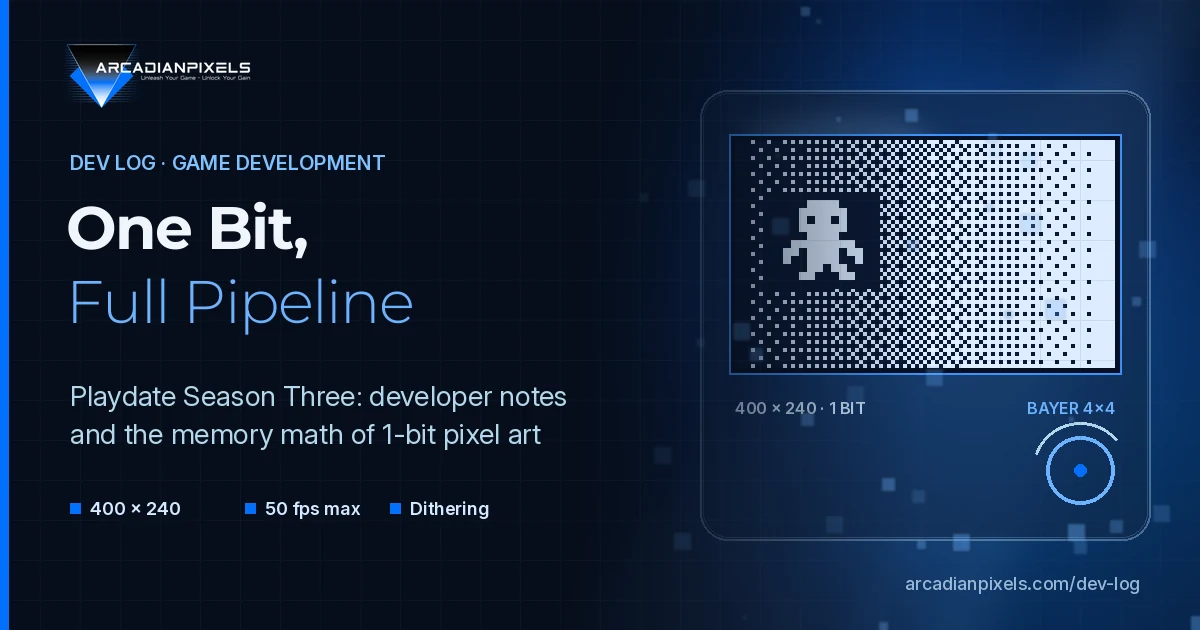
Panic started rolling out Playdate Season Three on 8 October 2026: eight games, delivered two per week for four weeks, with the weekly rollout ending on 29 October. The Season costs $39 in Playdate Catalog. Panic also states that all Season Three games were made without generative AI and that the full Season takes about 226 MB of storage.
For a pixel art studio, the interesting part is not the release schedule. It is what the developers say about working on a 400 × 240 screen with one bit per pixel. This Dev Log collects those notes, checks them against Panic's published specifications, and does some simple memory arithmetic for teams thinking about 1-bit work.
The target hardware
Panic's specification page and the Inside Playdate SDK documentation give the constraints every Season game was built against:
| Item | Published value |
|---|---|
| Display | 400 × 240, monochrome (1-bit) memory LCD |
| Refresh rate | 30 fps by default, maximum 50 fps |
| CPU | 168 MHz Cortex-M7 |
| Memory | 16 MB RAM, 4 GB flash |
| Languages | Lua and C |
| Inputs | D-pad, A and B, crank, 3-axis accelerometer, microphone |
Two details in the SDK matter for artists. First, the display "refreshes line-by-line, and unchanged lines aren't sent to the display", so a static background costs less than a full-screen scroll. Second, playdate.display.setScale() accepts 1, 2, 4 and 8, which lets a game render at a lower internal resolution and scale it up by whole numbers.
What the Season Three developers said
Gloom Gate: 3D characters, 1-bit output
In Panic's launch announcement, Lukas Büffel describes Gloom Gate as an experiment in a pseudo-3D, over-the-shoulder view. He first tried flat 2D sprites in a 3D arena, then switched to 3D characters "to have more flexibility". That meant building a pipeline that exports the graphics in a format suitable for the 1-bit display.
He names memory as the second problem: "All enemies and the player have multiple animations, all of which run at 50 fps, resulting in a large number of large files." That is the maximum refresh rate the SDK allows, applied to character animation, on a device with 16 MB of RAM.
Soggy Froggy: the crank as the design brief
Alex Sussman of Team Root, the studio behind Root Bear, describes a different kind of constraint. The team starts from the crank and asks what new motion it can map to. In Root Bear the crank opens and closes a tap; in Soggy Froggy it stirs a cauldron. Sussman calls this the "diegetic nature of the crank": a 1:1 link between the physical input and an object on screen. His advice is direct: "If you're making a Playdate game that doesn't touch the crank, you should reconsider what you're doing."
A system note
Ahead of the Season, Panic told owners that the secure certificate used by older Playdate OS versions would expire on 15 October 2026, after which those units could not connect to its servers, as reported by Time Extension and The Verge. For developers, the practical point is that testers should be on a current OS before they download Season builds or sideloaded test versions.
The memory arithmetic of one bit per pixel
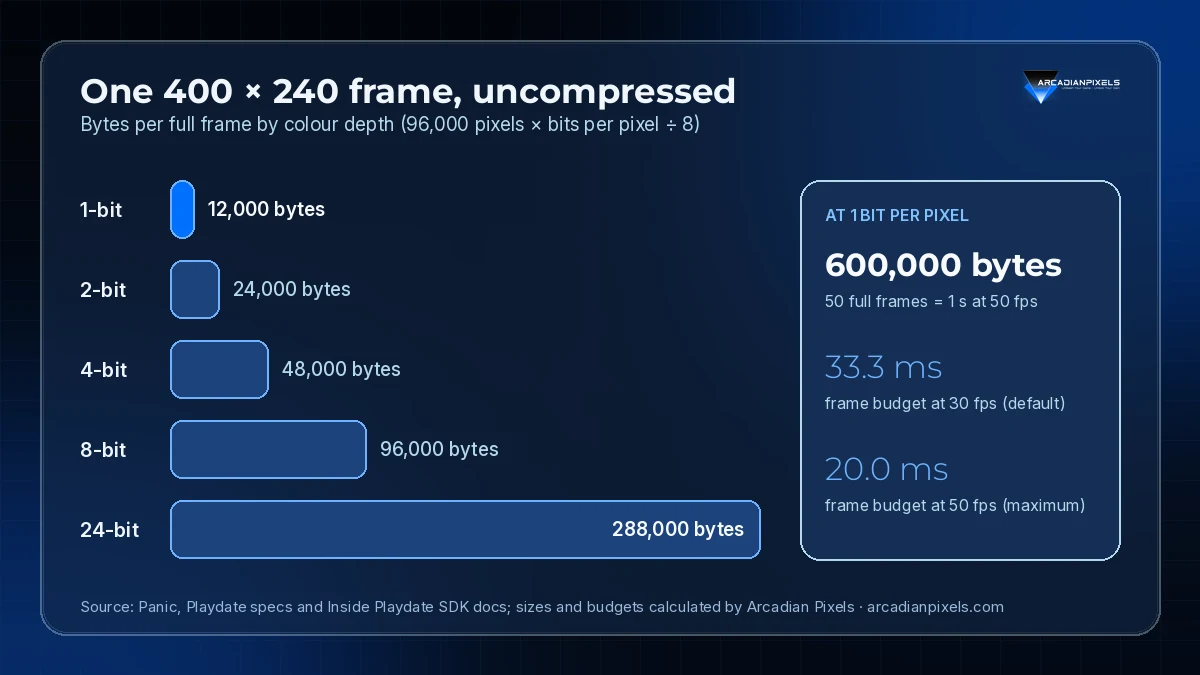
Büffel's comment about large files is easier to read with numbers. An uncompressed full frame at 400 × 240 has 96,000 pixels. At one bit per pixel, that is 12,000 bytes. The same frame at higher colour depths grows linearly, as the chart below shows.
Source: Panic, Playdate specifications and Inside Playdate SDK documentation; sizes and budgets calculated by Arcadian Pixels.
A few conclusions follow from this arithmetic:
- One second of full-screen 1-bit animation at 50 fps is 600,000 bytes before compression. That is under 4% of 16 MB, but a game with several characters, each with several animations, multiplies it quickly. Real sprites are smaller than the full screen, so actual sizes depend on frame dimensions.
- Transparency is not free. A sprite that needs see-through areas needs mask data as well as colour data. In a 1-bit format, a mask at the same resolution is as large as the image itself.
- Frame time drops from 33.3 ms to 20 ms when a game moves from the default 30 fps to the 50 fps maximum. Animation data and the code that draws it both have to fit inside the shorter budget.
None of these numbers are specific to Gloom Gate. They are the baseline any 1-bit project on this hardware starts from.
Dithering is part of the SDK
Because the screen has no grey, tone comes from patterns. The Playdate SDK builds this in. playdate.graphics.setDitherPattern() fills shapes with a pattern at a chosen density, and image:fadedImage() and image:blurredImage() convert an image to greyscale and dither it back to 1-bit. The documented dither types include diagonal, vertical and horizontal lines, a screen pattern, and Bayer 2×2, 4×4 and 8×8.
For a studio pipeline, this suggests two options:
- Dither at export. Render or paint in greyscale, then convert to 1-bit in the art tool or a build script. The artist sees exactly what ships, and the runtime cost is zero.
- Dither at runtime. Keep simple shapes or greyscale intent in code and let the SDK apply patterns. This suits fades, lighting changes and transitions, where the same image needs several tone levels.
Most projects will mix both: hand-placed pixels for characters and key art, runtime patterns for effects.
What we take from Season Three
For our own work at Arcadian Pixels, the Season is a useful reference set for 1-bit production:
- Decide the frame rate early. 30 fps versus 50 fps changes both the animation file count and the per-frame time budget.
- Treat the export step as part of the art. Gloom Gate shows that 3D source assets can work on a 1-bit screen, but only with a dedicated conversion pipeline.
- Budget memory per character, not per game. The cost grows with animations multiplied by frames multiplied by sprite size.
- Design around the input. Team Root's process starts from the crank and works outward to the theme.
The remaining Season Three games arrive by 29 October. We will keep watching what their developers publish about tools and workflow.