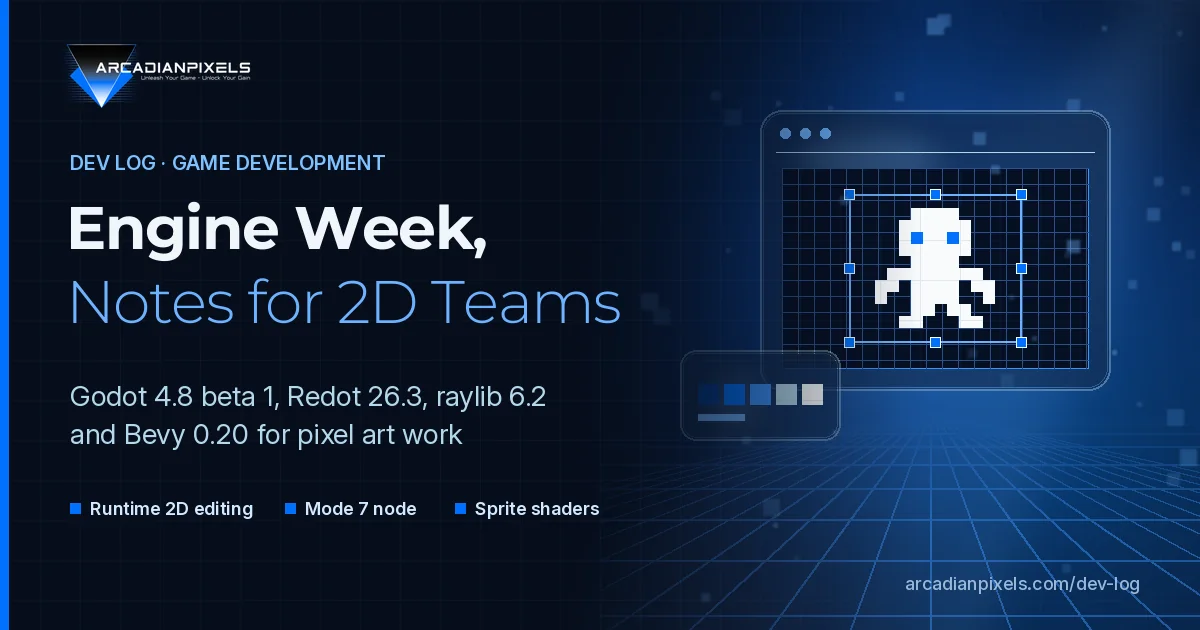
Mid-October 2026 was a busy week for open-source game tooling. Godot entered the beta phase for 4.8, Redot shipped its largest stable release, and raylib published version 6.2 after almost six months. A week earlier, Bevy 0.20 opened its sprite renderer to custom shaders. None of these releases is aimed only at 2D, but each one changes something concrete for teams that ship sprites, tilemaps and pixel-scaled UI.
This Dev Log goes through what was actually announced, which parts matter for 2D and pixel work, and where the migration points are.
The releases at a glance
| Release | Published | Status | Most relevant for 2D work |
|---|---|---|---|
| Godot 4.8 beta 1 | 15 Oct 2026 | Pre-release, feature freeze | Runtime CanvasItem editing, auto-sizing text |
| Redot 26.3 | 17 Oct 2026 | Stable | Mode7Sprite2D, Parallax2D manual scroll |
| raylib 6.2 | 15 Oct 2026 | Stable | Image drawing API aligned with screen drawing |
| Bevy 0.20 | 8 Oct 2026 | Stable | Custom shader materials for sprites |
Godot 4.8 beta 1: feature freeze, 2D gains
The Godot 4.8 beta 1 announcement confirms that 4.8 is now in feature freeze. From here on, work goes into regression fixes. The snapshot counts 1523 fixes from 340 contributors since 4.7-stable. It is a pre-release build, and the Godot team asks testers to keep backups or use version control.
Iterating inside the running game
For 2D work, the most practical addition is runtime manipulation of CanvasItems (GH-122510). While the game is running, you can move, resize, rotate and scale 2D items and change their pivot, with its own toolbar and full undo/redo through the editor's undo manager. You can also open a scene by double-clicking it in the game. Embedding the game view in the main editor window is now the default (GH-120736), and the Game, 2D and 3D toolbars have been redesigned to a common style.
For pixel layouts, that shortens a familiar loop: nudge a HUD element, restart, check the scaled output, repeat. Small offsets read very differently at 320x180 than in the editor viewport, so adjusting them in the running game saves real time.
Text that fits, in every language
Label and RichTextLabel gain resize-to-fit through three new properties: auto_font_size, min_font_size and max_font_size (GH-116791). The editor can also run with pseudolocalization switched on (GH-119443), which simulates translated strings early in development.
Bitmap and pixel fonts usually only look right at specific sizes, so a min/max range is the safer approach for them, rather than free scaling. The pseudolocalization toggle is the more important change for small studios: it shows overflowing dialogue boxes before a translator ever sees the file.
Diffs, physics queries and migration points
Several changes affect day-to-day maintenance more than visuals:
- Cleaner serialization. Objects are now formatted so they don't cause oversized diffs (GH-92102), which helps any team that reviews scene changes in Git.
- Non-allocating physics queries.
PhysicsDirectSpaceState2DandPhysicsDirectSpaceState3Dget typed result objects that can be reused instead of allocating dictionaries on every call (GH-113970). - Visual shader node groups (GH-99404) for repeated graph sections, such as palette or outline logic.
- Input default change. New projects ignore joypads when the window is unfocused (GH-120399). This is listed among the breaking changes.
- .NET builds now require .NET 10 or newer, up from .NET 8.
There is also a new option to run the project upgrade tool when you move to a new Godot version (GH-119466). Even so, a beta is for testing on a branch, not for shipping.
Redot 26.3: Mode 7 as a node
Redot 26.3 adds Mode7Sprite2D, a node that recreates the SNES Mode 7 effect. On the original hardware, Mode 7 applied affine transformations per scanline to fake perspective without polygons. Redot's version replaces the standard Sprite2D material with a canvas_item shader. That shader reads per-scanline transforms from a texture 3 pixels wide that stores the transform matrix, the offset/pivot and the modulate values.
The release also adds Manual Scroll to Parallax2D, for changing scroll behaviour at runtime. Redot's own demo combines the two for an airship overworld: a Mode 7 ground with a player-driven parallax sky, built entirely in 2D.
On the scripting side, 26.3 adds structs, traits and nullable static types to its GDScript, along with undo support for animation selection in the sprite frames editor. The release notes record that some features are cherry-picked from Godot, but these language additions are Redot's own. Code that uses them is not portable back to upstream Godot, so plan for that before you rely on them.
raylib 6.2: one drawing vocabulary for CPU and GPU
The raylib 6.2 release notes list more than 300 changes, about 100 closed issues and 20+ new API functions, for a total of 619. The headline change is a redesigned Image drawing API. Most GPU-accelerated drawing functions now have a CPU counterpart for Image structures with the same parameter order, for example DrawPixel() and ImageDrawPixel(), or DrawRectanglePro() and ImageDrawRectanglePro().
That matters for pixel pipelines that generate or bake sprites offline, such as atlases, palette swaps and procedural tiles. The same drawing calls now work at build time and at runtime. Two other points need attention when upgrading:
- File API return values now follow C conventions: 0 means success, other values signal a problem. Any code that checks the old return values needs an audit, as GameDev.net's summary also points out.
- Security fixes. raylib went through an audit by Radically Open Security, and the notes say most of the reported concerns have been addressed.
Bevy 0.20: custom shaders for sprites
Bevy 0.20, released on 8 October, closes a long-standing gap: sprites can now use custom shader materials. You implement MaterialExtension2d, add the SpriteMaterial component and register SpriteMaterialPlugin. 2D mesh materials can now be extended the same way as 3D ones, through ExtendedMaterial2d. The sprite backend was also replaced with one that reuses Bevy's 3D rendering infrastructure, which the release notes say improves performance in many cases.
For pixel art, this is the base for palette-swap, outline and hit-flash shaders written directly against the sprite pipeline.
How we approach these releases at Arcadian Pixels
Our main project, Tales of Xdripia: The Seventh Amulet, is built on Godot 4.7, and it will stay there for now. A feature-frozen beta is useful for one thing: checking our own project for regressions on a separate branch, and reporting what breaks while the Godot team is still fixing regressions.
Three items go on our test list: runtime CanvasItem editing for HUD and menu layout, auto-sizing labels with pseudolocalization for dialogue boxes, and the serialization change for scene diffs. Redot's Mode 7 node, raylib's CPU drawing API and Bevy's sprite materials go into our reference notes for retro-style projects. They are worth knowing about, though they are not a reason to switch engines.
Sources
- Dev snapshot: Godot 4.8 beta 1, Godot Engine, 15 October 2026
- Redot 26.3 release devlog, Redot Engine, 17 October 2026
- raylib 6.2 release notes, GitHub, 15 October 2026
- raylib 6.2 Released, GameDev.net, 15 October 2026
- Bevy 0.20, Bevy Contributors, 8 October 2026